10 Tools To Speed Windows 7
Time To Get Serious
Data suggests that, finally, enterprises are doing serious work to plan for migration to Windows 7 platforms after 10 years of using mostly Windows XP machines. Key benefits to Windows 7 include better performance and better security compared to XP, but there are always ways to boost the performance, functionality and security even further.
Microsoft provides many of the following tools itself, including some thrown in for free with Windows 7 versions. Others are available for download. There are some good, straightforward pieces of hardware that can also complete the puzzle of a well-honed Windows 7 desktop or laptop -- including new disk drive technology. We've taken a look at all of these in the CRN Test Center lab, and find these tools and products offer simple, straightforward avenues to either boost performance, security or functionality of your Windows 7 PCs.

Bitlocker
In Windows 7 Ultimate, Microsoft gives us Bitlocker and it was one of the first features we were eager to try out. Microsoft integrates it into the OS like a champ. We've used Bitlocker to encrypt files, folders and USB drives, using the 128-bit Advanced Encryption Standard (AES) key (256-bit encryption is available as well). We've used other encryption technologies and products such as TruCrypt and the on-board encryption available in Fedora desktop Linux. But what Microsoft has done by integrating Bitlocker into Windows 7 (and Windows Vista before that, for the few people who actually used Windows Vista), is to take the cost and complexity out of a complex security application. Bitlocker gives client computing a security boost at a time when it's greatly needed, and in a manner that is easier and less annoying than, say, User Account Control.
AMD Overdrive
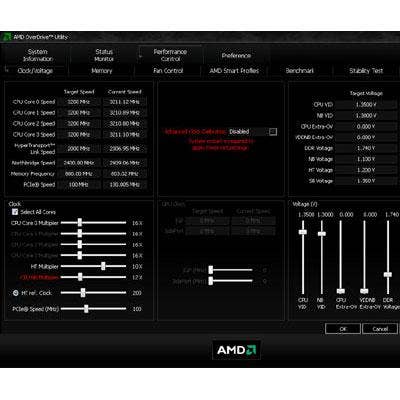
How good is AMD's Overdrive, the software that makes overclocking easy enough so that you don't have to be a prosumer, enthusiast or gamer to figure it out? It's so good, that the CRN Test Center has been able to take a Windows 7 system with a 3-GHz AMD Phenom II and throttle it up to a full 4 GHz without even breaking a sweat. Don't get us wrong. We don't endorse overclocking in most cases. Certainly, we won't endorse it for most office or routine business solutions. But on occasions where an enterprise has made a decision to go with an AMD-based computing solution for Windows 7, and where additional performance sometimes could be used (for video rendering or graphics creation, for example) Overdrive is a neat, cost-effective approach to provide a quick boost.
Seagate Hybrid HDD
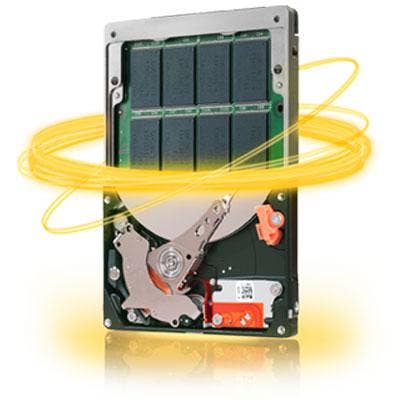
After examining Seagate's Hybrid, 320-GB Momentus XT in the CRN Test Center lab, we can say that it's certainly for real. The drive provides outstanding performance out of the box, and shows us that its so-called Adaptive Memory technology is the real deal. In short, the Momentus is just that -- a momentous event for Seagate and a marketplace that wants SSD-like performance at HDD prices.
The 2.5-inch drive itself is built with a 7,200-RPM spindle speed, with 4 GB of SLC NAND Solid State memory (which is where the term "hybrid" comes in). Inside the drive, Seagate has added Adaptive Memory, which it says examines use patterns in the first 4 GB of the drive and maximizes performance of frequently used files.
Intel's X-25M SSD
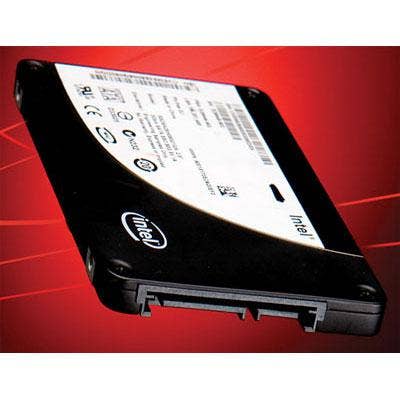
For speed, lifespan and price performance, SSDs offer an exciting look at the future of computing. From a'TCO standpoint, from an energy-efficiency standpoint and from a reliability standpoint, SSD technology has been a strong alternative to HDDs. But Intel has taken aggressive pricing action over the past several months, making cost of acquisition--once incredibly prohibitive--less and less of a factor.
The X-25M is a top-flight piece of technology, is stable, and cuts down on file transfer time. In Windows 7, Microsoft has made disk management easier, which means adding an X-25M either internally or externally (say, with a Stormor disk drive dock, which we use frequently in the CRN Test Center lab), a snap. We think the combination of Windows 7 and Intel's SSD technology is a great way to go.

ReadyBoost
Microsoft's ReadyBoost technology isn't new--you could have started using it when you had your old Windows Vista PC (What? Stop chuckling …) but now on the Windows 7 platform we find it's simple, and it's worth the two or three clicks to turn it on. What ReadyBoost does is take memory resources in a flash drive and use it to contribute to the overall performance of the PC. (Microsoft recommends that for it to really work, the flash drive will need to be at least 1 GB.) To turn ReadyBoost on, simply plug in the flash drive, navigate to its properties in the computer, and check the box that turns it on. Windows 7 is already more efficient than Vista, and using ReadyBoost is a nice way to boost it even more.
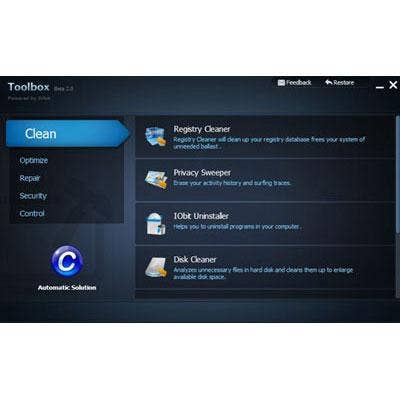
IOBit Toolbox
We usually distrust and dislike registry cleaners. Many of them don't do what they advertise, do it poorly or, in some cases, are nothing more than malware or crudware. IOBit Toolbox, we found, identifies what it says are high-risk files--be they ActiveX files, Startup files, registry keys, documents, cache files or others--and provides the option of examining the code in a registry editor, isolating or deleting the file. It works quickly, provides step-by-step, file-by-file options and offers the option of eliminating performance-sapping software or files. Registry editors, even including IOBit Toolbox, aren't a strategy for enhancing performance, but the better ones can be a simple tool to find and isolate counterproductive code. Of those we've looked at, IOBit Toolbox does yeoman's work at this.

Trend Micro Housecall
We've been using Housecall for years--it's Trend Micro's free, online malware-scanning tool. While other vendors provide free online virus scans, Trend Micro's, we've found, is among the fastest and most robust--and it's worked for us in the CRN Test Center for so long, it's long ago passed the threshold of trustworthy technology. The caveat is that a PC that's infected and can't access the Internet can't make use of this online scan (for obvious reasons)
It's a nifty tool that even VARs can use when troubleshooting problem PCs. It's fast, it finds, cleans and isolates malware as quickly in Windows 7 as any other, and can really work to eliminate performance killers.
Trend Micro CWShredder
We're of the opinion that browser-hijacking should be a punishable offense. A class of browser hijackers that still runs rampant throughout the Web are known under the umbrella moniker "CoolWebSearch" hijackers, and infect a PC by installing gazillions of "bookmarks" to sites that you really don't want to visit (from sites that range from porno providers to gambling sites). CWShredder will scan a PC looking precisely for these hijackers, and quickly and efficiently find them and destroy them and all of their traces. It's also a free tool from Trend Micro that anyone from IT administrators to VARs to users can use when working to clean up and speed up performance of a Windows 7 PC.
Windows Performance Monitor
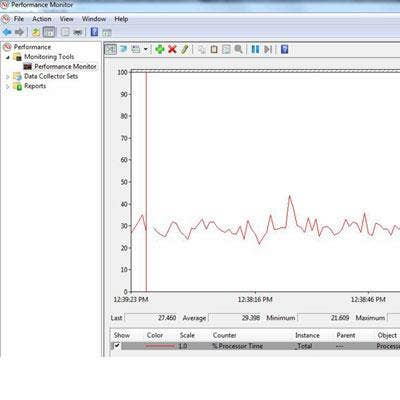
Depending on where you are in the world, what Internet connection you're using and what you're doing, it may be that PC performance that is grinding to a halt may be the PC. Or it may not. It could be the Internet connection you're using--even if it's good, old hardwired broadband. To keep track of how a Windows 7 PC is doing, if any particular applications or processes are slowing it down, the best course of action is often the simplest. We like what Microsoft has done with its Windows Performance Monitor, and it has more than once let us know that the grinding halt was the result of a bad network connection rather than the PC itself. In Windows 7 Ultimate, it's as simple as going to the system search, typing in "Performance Monitor" and letting it get to work. Performance Monitor lets you view what's going on with a full, heart-monitorlike dashboard with a running line graph indicating performance; a quick glance at its System Summary tells you how much memory is available or in use, Network Interface performance, hard disk performance and CPU performance. It can run in the background or you can schedule performance scans. It collects data and assembles performance reports.
Windows 7 Defragmenter
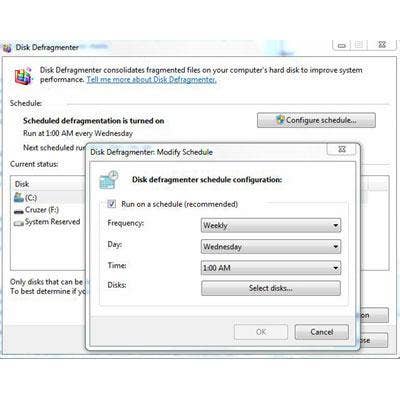
Some people (OK, a lot of people) want to know how to speed up Windows 7 without defrag. For years, defrag has been the default solution for speeding up PCs, and people want more solutions. But the CRN Test Center continues to include defrag into our best practices for PC maintenance for a reason
It works. More than ever, with the era of multiple hard drives and multiple SSDs in each PC, defrag is the simple, no-mess, no-fuss way to improve performance with a PC--particularly Windows PCs. Combined with one or more of the other options listed here, it's possible to take a Windows 7 PC and turn it into a continually well-tuned, ever-better-performing machine.