REVIEW: Windows 8 Release Preview Has More for Tablets than Desktops
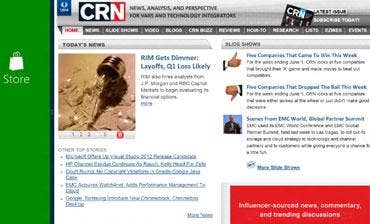
In the Windows 8 Release Preview unveiled yesterday, Microsoft delivers major improvements in finger navigation and buttons up many of the technical holes it left in prior betas. But once again, Redmond appears to have missed the memo that non-touch desktop and laptops aren't going away anytime soon.
In fact, recent reseller research conducted here at UBM Channel forecasts strong sales of desktop and laptop devices through 2013. Indeed, non-tablets will still represent the vast majority of prospective upgrade targets when Windows 8 becomes generally available in October. Yet Microsoft has resisted calls to make Windows 8 friendlier to the ubiquitous keyboard, mouse and other sundry input hardware.
To its credit, Microsoft had in prior versions improved mouse navigation in Metro by automatically scrolling when the mouse pointer reaches the edge of the screen. However, that same horizontal scroll bar removed from Metro is present in some of the new apps included in the Windows 8 Release Preview. If the mouse has a scroll wheel, it can be used for horizontal scrolling in these screens. Since it's usually used for vertical scrolling, we didn't notice that capability right away.
[Related: Microsoft Offers Windows 8 Release Preview ]
We also took note of another annoying characteristic that now appears to be history. When the pointer is moved to the lower left corner of the desktop screen, a thumbnail of the Start (Metro) screen appears, but it would quickly disappear when the mouse pointer was moved onto it prior to clicking. This counter-intuitive feature -- having to click something when the pointer isn't on the screen -- is no longer a problem. Also, the Start-screen thumbnail now appears from within any application. And if you're already in Metro, the thumbnail of the most recent app is displayed.
NEXT: Nice To The Touch There's also more to like in the current release (build 8400) in terms of touch sensitivity. The first thing we noticed was an interface that was more polished and more responsive to touch. Navigation is easier and more natural on our primary test PC, which is an all-in-one with a multi-touch screen, Intel Core i5 dual-core processor and 4 GB of memory.
We're now able to test all aspects and features using only finger navigation. In prior versions, the monitor's bezel prevented us from swiping near the edge, essentially preventing us from paging through apps and accessing Charms. Build 8400 is more responsive near the edges of the screen, and it now supports multi-touch for pinch-to-zoom, two-finger scroll and other multi-point gestures.
Running apps can be terminated by dragging from the top, and app preferences and menus can be accessed by dragging up from the bottom. Aero is still around, but it was revealed last week that this useless feature will meet its maker before Windows 8 hits the bricks. It's also more seamless to activate Windows 8's multi-app mode. This feature allows two Metro-style apps to be visible at once, with one occupying most of the screen and another living in a sliver on the left or right vertical edge. The larger app requires no special programming; it just scales to fit the reduced space. But the smaller app must know how to operate within the sliver. If it doesn't, it just sits there showing its icon.
While the Settings Charm can set or control some system preferences, most system setting are still available only through the classic Control Panel. By default, the Control Panel is launched only from the Desktop or through the Desktop's Settings Charm. Puzzlingly, the Control Panel cannot be accessed from Metro's Settings Charm. We were also puzzled by the reappearance of the horizontal scroll bar in Metro when we set Tile preferences to display administrative apps. The admin apps disappeared when we disabled the feature, but the scroll bar didn't.
Also included with the build is IE 10, a Metro-savvy extensible browser with built-in Flash. According to Al Hilwa, IDC's program director of applications development software, the inclusion of Flash support was an important competitive differentiator. "Integrating Flash into Metro IE is a real surprise and a smart move for Microsoft as it will help them set Windows 8 and Windows RT tablets apart from the iPad," he said, referring to x86 and ARM versions of Windows 8. "In fact, with Flash and bundled Office apps, Windows RT becomes much more viable than in the early days when the app portfolio was still forming."
Microsoft also has made strides with its App Store, which now contains scores more apps than when we last visited Windows 8 apps in early March.
Microsoft also has done much to improve the Windows 8 experience for tablets and other touch-capable devices, but it continues to ignore traditional input devices at its peril.