Review: 19-Inch Flat-Panel Displays, The Sweet Spot For Businesses
Why 19-inch? These displays don't take up much room on the desktop, and they offer generous screen space for not a lot of money.
To help you sort through the 19-inch options, the CRN Test Center invited all major vendors to submit a 19-inch business-class LCD display for review. It was preferable that the displays had both VGA and DVI inputs, but no other features were required. We were able to get evaluation units from eight vendors: Acer, AOC, Hewlett-Packard, LG Electronics, NEC, Planar, Samsung and ViewSonic.
On the technical side, all of the displays reviewed have a native resolution of 1280 x 1024, internal power supplies and a three-year warranty (some more limited than others), and they all come with the necessary cables. All of the displays have suggested retail prices of $300 or less, and most of them are closer to $200 on the street.
The displays were evaluated for ergonomics, feature set, image quality, fit and finish, and bang for the buck. Ergonomics included the number of position adjustments of the base and the ease of use of the on-screen display (OSD) controls. The feature set included such things as the number and type of inputs, built-in speakers, a USB hub and so on.
The displays were tested for image quality using DisplayMate Technologies' DisplayMate for Windows Multimedia Edition Version 2.10, software, which contains images and test patterns that push displays to their limits. The fit and finish rating included the quality of materials, ruggedness and attractiveness.
In each category, each display was rated on a scale of 1 to 10, relative to all the other units in the roundup. The scores for the first four categories (ergonomics, feature set, image quality, and fit and finish) then were averaged. The bang-for-buck score was determined by dividing the street price of each display by the average score for the first four categories to arrive at a cost-per-point figure. To arrive at a number rating from 1 to 10, the cost-per-point figure was subtracted from 100, and the result was divided by 10.
For example, assume a display had an average score of 8 for the first four categories and that it costs $200. Its price of $200 would be divided by 8, equaling $25 per point. The $25 then would be subtracted from 100 and divided by 10, which comes out to a bang-for-buck score of 7.5. The overall score was then determined by averaging the ergonomics, feature set, image quality, fit and finish, and bang-for-buck scores.
Before we get to the details of how each display fared, note that any one of them is fine for day-to-day use -- and probably is a lot better than the display that many workers have been using for years. It's only when you put all of the displays together in a lab environment and benchmark them that you begin to see the subtle differences.
NEXT: Acer, AOC and HP displays ACER AL1916FBD
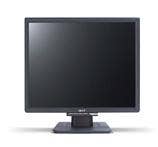
The 19-inch AL1916 Fbd from Acer (www.acer.com/us) is one of the least expensive displays in the roundup, but it's also one with very good image quality. It displayed crisp text and excellent overall contrast. If not for the fact that pure red looked a bit too orange, the Acer united would have equaled the best in terms of image quality.
Specifications for the AL1916 Fbd include a 700:1 contrast ratio and 150-degree horizontal and 135-degree vertical viewing angles. It has a 2 millisecond (ms) gray-to-gray response time. That fast response time should equate to better-than-average video playback, and the unit did a fine job of displaying video. But it didn't display video any better than some displays with 8 ms response times, so the 2 ms rating might not be as significant as it suggests.
Acer equipped the AL1916 Fbd with VGA and DVI-D connectors, so it's compatible with any computer. The display has a tilt-only base and no built-in speakers. It comes in a relatively small box, so it's easy to store lots of them in a warehouse or closet. Solution providers must snap on the base when setting up this display. The AL1916 Fbd's street price of $230 is only slightly higher than the least expensive units in the roundup, and its above-average image quality makes it a great value. (See display comparison chart)
AOC LM942
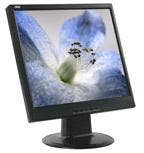
Envision Peripherals Inc. (www.AOCdisplay.com) makes Envision- and AOC-branded displays. AOC's budget-priced flat-panel displays are ideal for business use. The AOC LM942 is a 19-inch LCD monitor with a 600:1 contrast ratio and 160-degree viewing angles. Its response time is 8 ms, and it features only a VGA input and no built-in speakers. It has a tilt-only base.
The LM942 displayed text fairly well and showed grayscales with good contrast. White scales, unfortunately, were hard to see at the extreme bright end, and color scales could have shown more variation at the dark end. The LM942 was notably one of the few units that displayed a red that didn't look orange. Video playback was more than acceptable for a business display.
The LM942 was the only unit to feature a permanently attached VGA cable. An attached cable can't be lost, but it also can't be replaced if any of the pins get bent or broken. Fortunately, it's rare that VGA cables get damaged, since they are usually a set-and-forget affair. With a $220 street price, the AOC unit was one of the least expensive of the displays reviewed. (See display comparison chart)
HEWLETT-PACKARD L1906
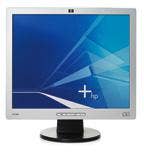
Some displays look bright and extra vivid right when they're turned on, and others do not. The HP L1906 from Hewlett-Packard (www.hp.com) doesn't appear terribly bright. But it's certainly an acceptable display, especially for business use. Frill-free, the HP L1906 is a 19-inch display with a VGA input, a tilt-only base and no built-in speakers. Its OSD controls are easy to use.
The HP L1906 has a contrast ratio of 500:1 and viewing angles of 140 degrees horizontal and 130 degrees vertical. While most of the displays reviewed have an all-black finish, the HP unit is black with a silver screen bezel. Not surprisingly, it matches the appearance of a lot of other HP equipment quite well.
The HP display offered acceptable grayscales, color scales and contrast. But like many other displays in the roundup, white scales showed up poorly at the extreme bright end of the spectrum. Like all the other vendors, HP includes a warranty of three years for parts and labor. But HP supposedly offers on-site service, and it would really be impressive to see a field technician show up on-site to service such an inexpensive unit. The display carries a street price of only $220, which is a great price for such a high-profile brand. (See display comparison chart)
NEXT: LG, NEC and Planar displays LG FLATRON L1952H
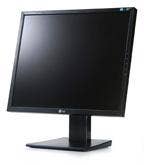
LG Electronics' (www.lgusa.com) Flatron L1952H comes in the smallest box of all the displays tested. This is great both for environmental and storage purposes. Part of the reason it can be packed in such a small box is that the monitor's base comes in two pieces, which must be snapped together and then snapped onto the display. But that takes only a few seconds, and the base is as sturdy as any of the other displayed tested. The Flatron L1952H also has digital DVI and analog VGA inputs.
The base on the Flatron L1952H has tilt and height adjustments. The display's ergonomics rating would have been a bit higher if it weren't for the awkward OSD controls located on the back of the display on the righthand side. The location of the controls is marked on the front bezel, but it's difficult to operate the controls without seeing the buttons. Most users never adjust the display settings after doing it the first time, especially when using the digital DVI input, but it would be better if the location of the controls was more visible.
The Flatron L1952H's image quality is acceptable for business use. Though its specifications mention a 1400:1 contrast ratio, the display's observed contrast wasn't as good as some of the other units tested. Grayscales showed up well, but the white scales could have looked better. Video playback was acceptable. The LG display has a street price of $220, making it one of the least expensive units in the roundup. (See display comparison chart)
NEC MULTISYNC LCD195VX
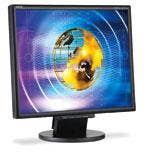
The LCD195VX from NEC Display Solutions (www.necdisplay.com) is well-made and sports a nice fit and finish. Its base is tilt-only, but it has VGA and DVI inputs. The specifications include a contrast ratio of 550:1 and viewing angles of 145 degrees vertical and 160 degrees horizontal. The OSD controls aren't as intuitive as some of the other displays evaluated. And the immediate impression upon powering up the display is that it has a bright, crisp image.
In terms of the LCD195VX's image quality, text showed up well, but the contrast could have been better. Grayscales displayed acceptably well, yet white scales looked washed out at the bright end of the spectrum. Color scales dropped off abruptly at the dark end. Like many of the other displays tested, red tended to look orange. Video playback was acceptable.
The NEC brand name commands a premium over many others. Its street price of $260 is higher than several of the other displays tested, but it has a quality feel that most of the less expensive displays didn't match. (See display comparison chart)
PLANAR PL1911M
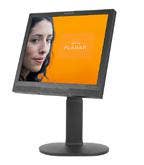
Planar Systems' (www.planar.com) PL1911M LCD display has the best image quality of the products in the roundup and offers the best ergonomics, along with built-in 2-watt stereo speakers. It's also not the most expensive unit tested.
Specifications for the PL1911M include analog VGA and digital DVI inputs, a 700:1 contrast ratio and viewing angles of 170 degrees for vertical and horizontal. The base on the PL1911M is the most flexible of the units tested, featuring tilt, swivel, height and pivot adjustments. Even though Planar's 8 ms response time isn't the fastest in the roundup, it nonetheless displays video as well as the other products do.
The Planar display, too, showed a crisp, bright image. Text was sharp, and grayscales, white scales and color scales looked good. Overall contrast was good, and reds looked red, rather than orange.
Planar is the only vendor in the roundup to offer a three-year, advance replacement warranty, in which a new unit is shipped to the user within two days. The PL1911M's street price of $250 places it squarely in the middle of the displays tested, and the product offered the best bang for the buck. (See display comparison chart)
NEXT: Samsung and ViewSonic displays, Test Center's pick and display comparison chart
SAMSUNG SYNCMASTER 931C
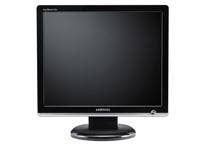
The new SyncMaster 931C from Samsung (www.samsung.com) is the most attractive display in the roundup. It has a glossy black finish with a silver bar along the bottom edge. It also boasts some of the most impressive specifications: a 2000:1 dynamic contrast ratio, a 2 ms gray-to-gray response time and viewing angles of 160 degrees for vertical and horizontal. These specifications translate to one of the best image qualities of the products in the roundup.
The SyncMaster 931C has VGA and DVI inputs and a tilt-only base that attaches to the main unit via a captive thumbscrew. The benefit there is that if the base ever has to be removed, it's easier to undo the thumbscrew than to unsnap the base, as is the case with many other displays. The OSD controls on the Samsung display, though, are a bit confusing at times.
When turned on, the Samsung display looked ultra-vivid, showing a much more vibrant green on the Windows XP background than any other display in the roundup. Red looked like proper red instead of orange. Text was sharp and grayscales looked good, as did color scales, if not a bit oversaturated. But like many of the other displays tested, the white scale was almost invisible at the extreme bright end of the spectrum. Being a brand new model, the SyncMaster 931C could not be found selling for less than $280, making it one of the most expensive displays in the roundup. (See display comparison chart)
VIEWSONIC VG930M
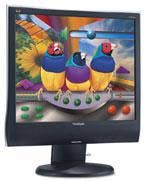
ViewSonic's (www.viewsonic.com) VG930m is also a new model. The display is taller than most, with a curvy yet attractive design. It comes in a rather large box with the base pre-attached. The base offers tilt, swivel and height adjustments. The display also has built-in speakers, with a convenient mute button on the side. It sports VGA and DVI inputs, and the OSD controls are the same ones that ViewSonic has used for a long time. The product's fit and finish are better than average.
Specifications for the VG930m include a 600:1 contrast ratio and an 8 ms gray-to-gray video response time. Image quality is good. The display showed sharp text, good grayscales, good white scales, good color scales and a proper shade of red. Contrast was good overall. This display offers a good overall blend of image quality aspects, and video playback is good.
Like the Samsung unit, this is a brand new model, so it has not yet had time to drop in price. The lowest street price found was $280. But for that cost, the product delivers one of the most well-rounded combinations of features and image quality in the roundup. (See display comparison chart)
TEST CENTER'S PICK
Based on the overall scores, the Planar PL1911M gets the nod as the best of the Test Center's 19-inch flat-panel display roundup, with the ViewSonic VG930m coming in second. If price alone is the deciding factor, the Acer AL1916 Fbd would be the top choice, with its above-average image quality. But all in all, solution providers can't go wrong recommending any of these displays to their customers.
AL1916Fbd
LM942
Ratings
\
(Based on
\
scale of 1 to 10)
Ratings
\
(Based on
\
scale of 1 to 10)
LCD195VXM
PL1911M
Ratings
\
(Based on
\
scale of 1 to 10)
VG930m
Ratings
\
(Based on
\
scale of 1 to 10