Review: ViewSonic Smart Display HD Monitor With Android Built-In
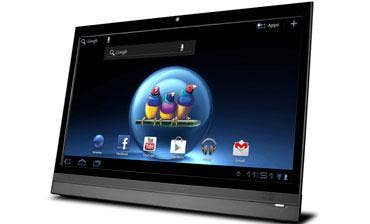
If you thought that Samsung's Galaxy Note 10.1 was the largest Android-based device with a touch screen, think again. ViewSonic last week unveiled the VSD220 Smart Display, a 22-inch high definition LCD display with Android 4.0 built right in.
The VSD220 will list for $399, and availability is expected by the end of October. Like many other so-called all-in-one PCs, the VSD220 offers control of its operating system via two-point touch screen and includes a Webcam and mic, USB ports, an HDMI input, wired and wireless Ethernet, built-in stereo speakers and Bluetooth, and it's controlled via touch and on-screen keyboard. There's no optical drive, keyboard or mouse.
ViewSonic sent a unit to the CRN Test Center for review, and opinions were mixed. Because of its browser, ViewSonic is positioning the Smart Display as a low-cost means of accessing cloud-based applications. And we like the idea of an Android-based all-in-one for setting up kiosks, self-service menus, digital signage, waiting-room entertainment screens and other monofunctional applications. There also are a number of kiosk apps in Google Play that resellers can use to set up browser-based apps that restrict users to a set of boundaries.
Still, the VSD220 is a nice looking unit. Its 21.5-inch, 1,920 x 1,080 LED-lit LCD panel is bright and crisp, offers a 170-degree viewing angle and displays Android 4.0 Ice Cream Sandwich operating system as well as any tablet we've seen. To adjust brightness, contrast, speaker volume and the monitor's other settings, ViewSonic cleverly nestles an OSD control next to Android's on-screen controls for Back, Home and App-switching. We liked this Android-integrated control for its instant responsiveness and intuitive ease of use.
NEXT: Lots More To Like We also found favor with its media playback capabilities. The Smart Display with Android 4.0 supports most major media formats, including .mp3, .mkv, .ogg and .wav audio, .mp4 and .avi video and VP8 streaming. To test video playback, we launched the media player from within Android's Gallery app to play 720p .avi and .mp4 videos from a USB stick. Both played smoothly and with loud and clear audio. We also tested the unit's ability to work out of the box with a variety of Bluetooth and USB keyboards and mice; all worked flawlessly.
The Smart Display's rear panel is home to a VESA-mounted kickstand, which can be swapped for an optional ViewSonic wall mount or other third-party option. A small plastic cover hides the DC power and RJ-45 connectors, a MicroSD slot and its micro HDMI input port. Of its three USB 2.0 ports, two are Type-A connectors and one is micro. ViewSonic says it will include a cable for this as well as for the micro HDMI port; none came with the test unit. There's also a Kensington security slot and 3.5mm headphone jack.
We wouldn't recommend the VSD220 as a productivity workstation; the dual-core OMAP 4 processor in the VSD220 seemed underpowered, and the touch screen was sometimes unresponsive and had trouble keeping up with fast finger-swipes. But for its intended purpose as an internet-ready all-in-one PC for purpose-built applications, digital signage and information kiosks, we recommend the VSD220 Smart Display; it fits the bill nicely.
PUBLISHED SEPT. 19, 2012