Elo TouchSystems's MultiTouch Monitors Provide Rugged Platform
It's hard to predict the kind of pounding that a device might have to withstand once it's deployed in the field. That's especially true when they're destined to be touched by humans, as are kiosks, interactive exhibits or touch-screen input systems. Equally difficult to guess are the types of materials that people might use as a pointing device.
Addressing all of these challenges are the Interactive Digital Signage (IDS) touch displays from Tyco Electronics' Elo TouchSystems business. The company sent a sample of its newly expanded product line to the CRN Test Center, and testers were impressed with its ruggedness and suitability to task.
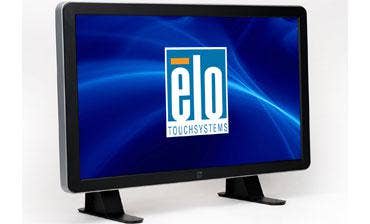
The first thing we noticed about the 3200L IntelliTouch Plus was how heavy it was for a 32-inch monitor. The unit itself, which lists for $1,604, weighs 53 pounds without the optional desktop stand. Its hefty weight is offset by sturdy carrying handles placed at the top of the unit's rear panel. The desktop stand kit includes a pair of rubber-bottomed steel legs that screw onto the back panel; they also can be bolted onto the mounting surface. List price: $193; additional weight: more than 12 pounds. Together they make one heavy-duty display.
Then there's the PC plug-in module. Tyco sent its high-end model, which is built around a 3.0-GHz Intel Core 2 Duo (model E8400) processor running 32-bit Windows 7. Its peak Geekbench 2.1.11 score of 3328 ranked well on the all-time list of similarly equipped machines. Better than its performance was its easy installation. The aluminum-clad box slid on track-like guides into an opening on the monitor's back side and required no further finagling. Listing for $1,043, the PC module powers up from the same control as the monitor, which is tucked away under the bezel's bottom right side and shrouded in rubber. That's also where the unit's power LED is located.
Also nearby and further toward the back are the 3200L's input ports, which include HDMI and VGA, COM and audio in/out. As such, they're somewhat hard to get to from the front. That's intentional, of course, as the device is not designed to be serviced by its intended user. There's also a port for the OSD remote-control, which we didn't receive but would have liked to test. Because testing the OSD with controls we couldn't see from the front led us to accidentally press the power button a few times. The OSD also can be controlled through the serial port, and the company said it is enhancing its remote control capabilities, but would not comment further.
Next: Control-by-feel aside, the absence of front-mounted buttons and LEDs gives the black and grey 3200L a handsome, uncluttered appearance, and its active matrix TFT LDC shined brightly. With an aspect ratio of 16:9, the native resolution of the 3200L is 1366 x 768, which testers judged to be absolutely perfect for a touch screen running Windows 7. In this size and resolution, fonts and buttons are large enough to be easily readable and navigable, and keys on the soft keyboard are large enough for fast, error-free typing.
The display is rated at 450 nits with a contrast ratio of 3500:1. The glass is heat strengthened in accordance with the ASTM C1048 specification, and is compliant with the UL60950 ball-drop test. And you know that's not an insignificant fact if you've ever seen the ball drop test. In addition to general Windows usage, testers evaluated the multi-touch sensitivity of the IntelliTouch Plus screen using Microsoft's Surface Collage photo manipulation software, part of Microsoft's Windows Touch Pack. Response times were instantaneous, and touch sensitivity was found in all areas of the screen.
We also downloaded trial software from Flypaper Interactive, which develops a Flash-based content management and UI development platform. If you're looking for tools and ideas for getting into the digital signage market, take a look at these Flypaper videos. A pair of built-in 10-watt speakers performed adequately and with no audible distortion at full volume.
Environmental readings of the 3200L were within normal parameters. After operating for a few hours, the surface of the screen put out 95 degrees at its hottest, and the hottest point on the unit was the exhaust vent at the top of the rear panel, at 103 degrees.
Testers found just one serious limitation of the 3200L. When the computer module is plugged in, the unit will not accept input from any other source; its auxiliary HDMI and VGA inputs cannot be used. For its primary uses in retail, self-service, hospitality, transportation, education, health care and other public access venues, such a limitation might not matter. However, the 3200L would not be a practical choice if the intention is to use it in any kind of double-duty role involving the PC module.
One of three in the IntelliTouch Plus series, the 32-inch 3200L is joined by 42-inch and 46-inch models, all of which also offer a zero-bezel Acoustic Pulse Recognition option, which combines the properties of resistive and capacitve technologies and is responsive to non-organic materials. For heavy-duty digital signage applications, the CRN Test Center recommends the 3200L IntelliTouch Plus display.