The Best Products Of 2008

Think of 2008 as the year of the milestone.
There were milestones reached in processing performance, operating system performance and functionality. Notebooks pushed the envelope on smaller form factors and battery life, and desktops made a strong comeback from a performance, function and design perspective.
More of IT now scales from the browser to the data center than ever before, and technology providers managed to make cost, return on investment and manageability critical.
The Test Center evaluated hundreds of products in 2008, from the palmtop to the data center and everything in between. In selecting each product of the year, Test Center editors needed to make sure that there was a critical offering to the market at large, significant value to the end user and immediate impact on how the lion's share of solution providers in the channel would think about and deliver technology.
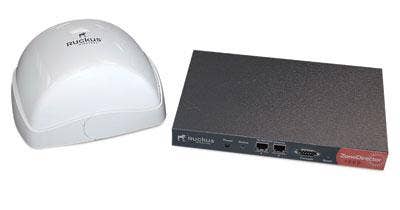
WINNER: Ruckus ZoneFlex 7942 The drive to provide next-generation wireless technology has proven difficult at times for the IT industry, and the move to an 802.11n standard is not without its own special issues. But the promise of huge performance boosts and new opportunity to deliver value in wireless solutions can't be ignored in this new technology area, and one company that stands apart here is Ruckus Wireless Inc. with its ZoneFlex 7942 802.11n access point.
The Ruckus access point technology uses patent-pending horizontal and vertical polarized antennas that are able to coordinate multiple paths as signal strengths change on a client. The antennas are designed for high performance in semipenetrable walls because they use beam steering to refocus access to connected clients.
The product also has a nice detailed Web management interface, allowing for complete remote management while at the same time avoiding a cluttered look. Ruckus supports a variety of authentication methods—not only RADIUS, but authentication can be set up against Active Directory and other databases, enabling the integration of security from a wired network. The company also has a patented dynamic PSK security solution: Each user is assigned a dynamic PSK key that is revocable.
Importantly, Ruckus ZoneFlex works and is manageable for VARs that want to begin delivering this new generation of wireless technology to customers.
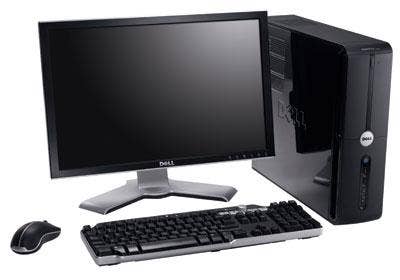
WINNER: Dell Vostro 220 This was a difficult choice for several reasons, not the least of which is the continuing comment from many solution providers that Dell Inc.—a relative newcomer to the channel—still needs to work on developing trust as a business partner. But in the end, the Vostro 220 proved itself to be a significant enough new product, aimed right at the channel's wheelhouse, that it couldn't be ignored.
The Vostro 220 we reviewed was built with an Intel Core 2 Duo E7200 CPU at 2.53GHz and 4GB of RAM. Testing with Geekbench, the PC scored 2,776—less than the Vostro 200 but higher than the other business desktops we took up for this review. Running a standard workload, the V220 drew 64 watts of power and threw 79 degrees at its vent. Its noise level was below the ambient sound in the lab and our decibel meter's threshold of 50. It was as solid a performer as we've seen this year, list-priced at $319, with no gunkware preloaded to annoy customers. It's simple, it's solid, and it's aimed directly at the heart of small and midmarket businesses.
The Vostro 220 does what it sets out to do—very well—and for that reason it's our desktop of the year.
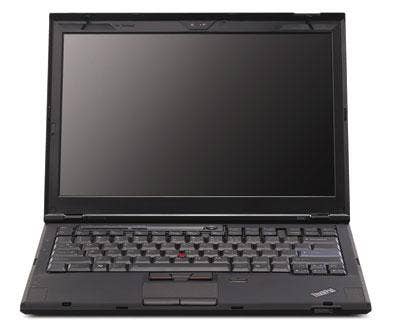
WINNER: Lenovo ThinkPad X300 Lenovo Group took a fresh, new approach with its ThinkPad lineup this year—starting off a revamp with its slimmest, lightest, coolest notebook yet with the ThinkPad X300. Less than 1 inch thick and weighing less than 3 pounds, Lenovo delivered the X300 as a serious, business-ready notebook with strong performance and no compromise. It comes with an optical drive and several USB ports.
The company delivered the X300 weeks after rival Apple unveiled the MacBook Air—a thin, light and sleek notebook that runs OS X and, famously, is capable of sliding into a manila envelope. Unlike the X300, though, the MacBook Air comes without an optical drive and forces a trade-off of function for mobility and design.
It's not just the speeds and feeds that set the ThinkPad X300 apart. It's the complete package: performance, mobility, design, engineering and business integration. Priced at the upper range of the notebook space at just less than $3,000, it is about on par with other thin-and-lights in this class. But, really, the Test Center believes the X300 is in a class of its own.
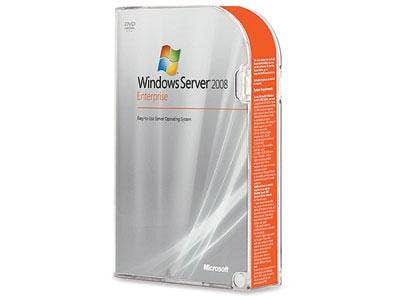
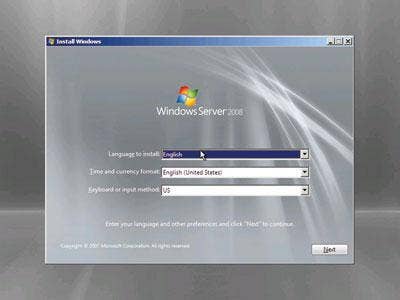
WINNER: Microsoft Windows Server 2008 Server 2008 is greener, thinner and far more sophisticated than its predecessors. Microsoft Corp. has added every possible service that an operating system can support, all included with the cost of one license.
Built on the same code base as Vista, Windows Server 2008 is more formidable than its desktop cousin. Why? Streamlined server roles, great performance and a bundled hypervisor all contribute to making this Microsoft's best server operating system to date.
Securitywise, Windows Server 2008 seems to be a winner, so far. A battery of tests done against it, including Core Security Technologies' Core Impact, could find no way to penetrate the system.
In addition, diagnostics and troubleshooting have been greatly improved with this platform. Error messages are logged and detailed in a manner that helps to resolve issues quickly.
Server 2008 also plays nicely with other Microsoft components. It was so easy to deploy DNS, DHCP and Active Directory with 2008 as the domain controller. Even better, the once-painstaking install and configuration of Exchange Server is tamed by wonderful communication between Server 2008 and Exchange 2007.
Other Goodies• Improved hot patching • Dynamic hardware partitioning • Group policy enhancements • 256-bit AES encryption support • Improved user interface • Windows Power Shell for script-based configuration and management; really lets an administrator get under the hood for administrative tasks • SMART detection for hardware failure • Terminal Services RDP 6.0 support—betterperformance, more secure • Serve Core installation mode—reduces the chances of Windows being attacked
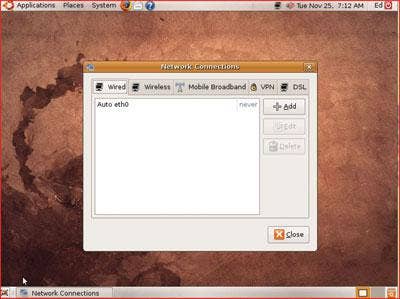
WINNER: Ubuntu 8.10 Ubuntu 8.10 Desktop Edition, nicknamed "Intrepid Ibex," provides so much functionality and ease of use, at zero cost of acquisition, that it is really impossible to ignore. For anyone or any business not tied to Microsoft legacy desktop applications, Ubuntu 8.10 may realistically be considered a smarter choice in a variety of scenarios.
During initial evaluation in the Test Center lab, Ubuntu 8.10 scored big in both performance testing and in wireless integration—areas where Linux has had some trouble in the past. In Ubuntu 8.10, developers have also integrated a simple, intuitive console for managing wireless connectivity, including Wi-Fi and broadband wireless.
Here's the bottom line: Ubuntu 8.10 Desktop Edition easily ranks higher than any other Linux desktop operating system we've looked at in the Test Center. Based on performance numbers, its Ethernet and wireless management and zero licensing cost, this is an operating system that we can recommend to VARs—not just as an alternative to Windows but as a strong operating system in its own right.
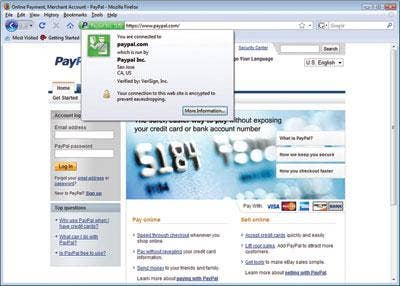
WINNER: Firefox 3.0 Within months of the launch of Mozilla's Firefox 3.0 Web browser, the application had registered a 20 percent market share for the first time ever and appeared to be cutting into the stranglehold Microsoft's Internet Explorer has held on the industry.
What's propelling such quick growth all of a sudden? When the Test Center looked at Firefox 3.0 at the time of its release, we found a host of improvements and features, including enhanced malware security, even better customization potential and—after years of complaints—aggravating memory leaks had been incredibly well-plugged. Even with a splash from Google's own new browser, Chrome, Firefox continues to hold its position as a browser that VARs, ISVs and developers can go to for customization, both personal and commercial.
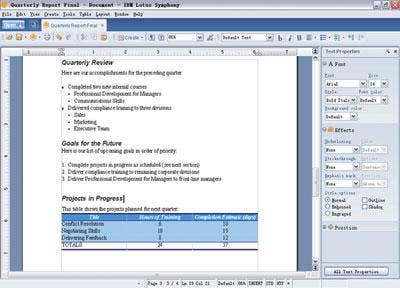
WINNER: IBM Lotus Symphony Lotus Symphony acts much like Microsoft Office, which is good if you are looking for something to replace Office at a fraction of the cost (free!). It's not so good if you are looking for something entirely different from Office, but there aren't many free suites that accomplish that yet. There are plenty of individual applications out there, but most office productivity suites at the moment are, more or less, Office clones.
Symphony consists of word processing, spreadsheet and presentation applications. Based on the Open Document Format standard, Symphony saves all documents by default to that format. It can open and edit documents created under OpenOffice and other applications that also follow ODF. Symphony can also open and edit all Office documents saved in the older .doc format. Documents created in Office 2007 with the newer .docx (.xlsx and .pptx) formats can't be opened under Symphony.
The Office 2007 installation here at the Test Center by default saves documents in the Office 97-2003 format (in the interest of backward-compatibility) so there were no problems editing files created in Symphony under Office 2007, or vice versa. The Test Center found Symphony a snap to use, and switching to Symphony after years of using Microsoft Office was painless.
WINNER: Microsoft Hyper-V Criticism aside, one thing cannot be denied Microsoft: The software giant has had a great impact on bringing personal computing to the masses. In 2008, Microsoft has done the same with virtualization via Hyper-V.
For those in the know, server virtualization has been a mainstay with companies like Citrix and VMware. Yet the emphasis is on "in the know." The harried VAR or IT administrator trying to keep a Windows shop afloat may not have had the time to dedicate to researching the vast server virtualization offerings available nor perhaps the resources on staff to deploy and manage, for example, Citrix XenServer or VMware Server (both very good products in their own right). Microsoft makes virtualization easy by bundling the feature with Server 2008 as the Server Role Hyper-V.
The interface is one that is familiar to Windows users. Hyper-V has its own Microsoft Management Console (MMC) snap-in that makes creating and configuring virtual machines (VMs) a breeze. Microsoft's Hyper-V is a low-cost hypervisor that can be deployed without a lot of additional training or staff resources. Managing virtual hard disks, virtual network settings and other VM settings is intuitive; a couple of mouse clicks and the VM is set. VM performance in testing worked very well; VMs are isolated from accessing the actual physical processor, and the hypervisor adroitly handled the VM partitions.
While Hyper-V may not have the robustness of a solution like VMware ESX, its affordability, the fact that it comes with Server 2008, and the ease of deployment and management make it a contender in the server virtualization space.
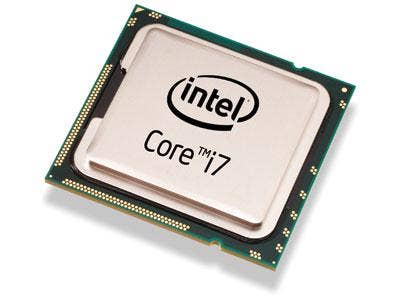
WINNER: Intel Nehalem Intel's next-generation Nehalem processor lineup is so powerful that it simply destroys previous CPU benchmarks. It has historic potential—that is, potential to drive current data-center-class performance onto the desktop.
Considered by some to have the most significant new architectural changes since the Pentium Pro, the microarchitecture will include future variants for server and mobile applications.
The Test Center took a first look at the Core i7-965 Extreme Edition, installed in Intel's "SmackOver" motherboard, the DX58SO Extreme Series.
From the moment the power was turned on, it was obvious that this was a fast machine. A complete boot of Vista took only 43 seconds from the time the power button was pressed and most of this time (27 seconds) was actually in the post phase of the boot. Testing in Primate Labs' Geekbench 2 software made it, easily, the fastest CPU we've ever tested—hitting a score of 7,998.
The only other CPU scores we've seen in that ballpark this year came from data-center-class servers. Intel is changing the game with Nehalem.
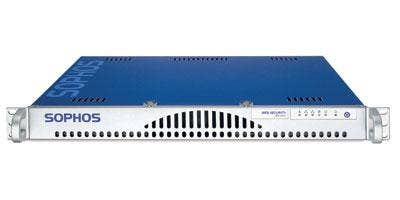
WINNER: Sophos WS1000 So many security devices, so many promises. But Sophos' WS1000 really delivers. From initial setup to testing, this security appliance did not disappoint. When setting up the device for the first time, in a less-than-20-minute time frame, the device ran a configuration test, registered itself with Sophos' network and updated to the latest software downloaded from the vendor's software repository.
The dashboard is resplendent with information on virus updates, Web traffic, bandwidth consumption and traffic patterns. Web traffic is represented in a gauge-type format—kind of like an odometer with a throughput reading that goes from 1 to 1,000 kbps. Latency is also represented this way on a scale from 1 to 1,000 ms. It is a quick and easy way to get an overview of bandwidth details and a nice deviation from standard pie charts and graphs.
Reviewers were impressed with the URL testing capability in which a systems administrator inputs a URL into a field and the WS1000 reports back, giving the category of site it falls under (for example, Gambling or Adult). It also will report the security risk for that site.
Sophos Labs scans every day for high-risk sites and updates its product based on this. Finding the latest threats is what this vendor is all about, and these folks take that very seriously. The WS1000's scanning capability differs from other scanning technologies, such as reputation scanning. Instead, the vendor uses behavioral genotype scanning, which catches unknown and zero-day threats by analyzing content pre-execution and analyzing the behavior of the code—sort of like picking up on the intent of the code rather than what the code does.
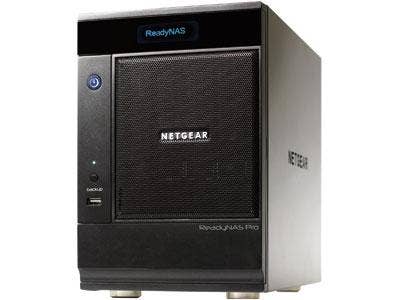
WINNER: Netgear ReadyNAS Pro There was a time when a company that sought out 6TB of storage for its data management needs either ran a major international finance operation, was involved in deep scientific research, or had billions of dollars of revenue at stake. Today, that amount of data storage is obtainable for even mom-and-pop operations—and one product scales down better than others the Test Center has seen.
Netgear ReadyNAS Pro is available in three Business Edition configurations—1.5TB, 3TB and 6TB. Our evaluation unit came loaded with three 500GB hard drives. There is also a Pioneer Edition that is diskless. All the drives are hot-swappable and, with current drive capacities reaching 1.5GB, it can support up to 9TB total.
List prices on the device, depending on configuration, range from $2,000 to $4,100, putting massive amounts of storage within reach of even small IT budgets. Given the reliance of even the smallest businesses on data and storage, Netgear's product can put significant value into the hands of just about any business or workgroup.
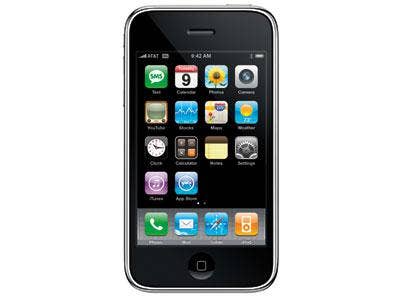
WINNER: iPhone 3G There's no ignoring the iPhone in the enterprise any more.
With its iPhone 2.0 software launch earlier this year, Apple delivered tight integration between its handheld platform and Microsoft Exchange. Not only is Apple's iPhone now the fastest-selling smartphone in the market today, the device provides seamless integration across the firewall to corporate e-mail, calendaring and contacts. This was a critical functionality that was lacking in 2007 when the company initially launched the device.
In addition, Apple's iTunes App Store provides offerings from hundreds of ISVs including Salesforce.com, and the device itself provides new GPS functionality. There has never been greater competition in the smartphone space, and with the T-Mobile G1 Android device as well as the BlackBerry Storm from Research In Motion, the iPhone wasn't a slam-dunk for the product of the year in this category for 2008. But even though the Apple iPhone isn't sold through the solution provider channel, the potential for it to lead to solution provider-directed rollouts, upgrades and continued maintenance largely on Exchange integration is a major development.
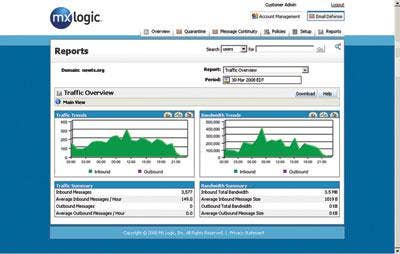
WINNER: MX Logic Email Defense Service With a simple, yet comprehensive management interface, excellent accuracy and distinctive features, the MX Logic Email Defense Service impressed us. It uses various, aggregated techniques to fight spam. It looks at different parts of the message, including the Sender ID record and contents, and applies a slew of analysis against it.
Whitelists, blacklists and multilanguage filtering are just a few of the tools in its arsenal. In addition, by using a statistical Bayesian algorithm, MX Logic estimates the likelihood that a particular e-mail is spam by comparing how often its contents have previously appeared in spam e-mails. Confirmed spam is blocked, while legitimate messages are delivered. E-mails that may or may not be spam are stored in user-specific quarantines accessible online.
Through the MX Control Console, a Web-based management interface, attachment and HTML filters can be selected. By default, MX Logic rejects messages flagged as high spam and quarantines medium messages. Since the service depends on the DNS entry having an updated MX record (redirected to MX Logic's servers), it took a few days before we were able to see results. Once everything was in place, though, our test account had only one message every few days in quarantine that was fit to release and whitelist, and only one spam message that squeaked through each day.
MX Logic also offers a Message Continuity feature, where mail is queued if the mail server is down. Users can log in and read and reply to their messages even during an outage. Some solution providers use this feature as part of a planned migration when moving one mail server to another.
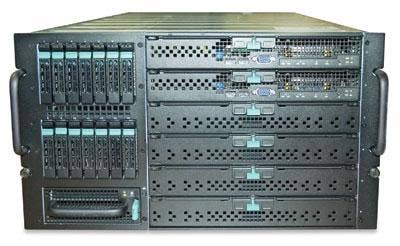
WINNER: Intel Modular Server 2008 began with a bombshell from Intel: It unveiled the Intel Modular Server, a powerful, data-center-class system that integrated support for as many as six dual- or quad-core servers; enterprise-class storage and Layer 2 switching into a neat, easy-to-deploy box.
The Intel Modular Server is the chip giant's response to solution providers for small or midmarket customers who need blade-server-level performance but can't afford blade-server-level complexity. From a design, performance and pricing perspective, the Test Center found the Intel Modular Server to be an intelligent, unique and market-leading approach to delivering significant performance to the channel.