ThreatLocker Exec: ‘The Bad Guys Are Not Working 9 To 5’
‘Anybody who’s running an EDR who does not have MDR or 24x7 monitoring of the SOC is wasting your time. The bad guys are not working 9 to 5. They’re working in the middle of the night. They are working holidays. They love Thanksgiving. They love the Fourth of July, not in the same way that you love the Fourth of July,’ says Rob Allen, chief product officer at ThreatLocker.
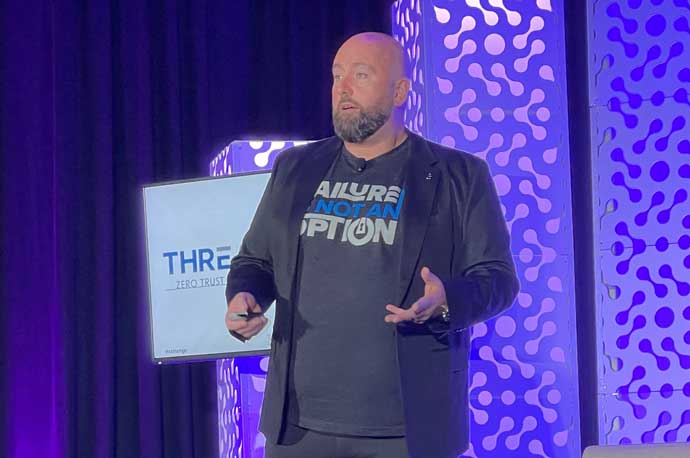
Cybersecurity can seem very complex, but there are multiple ways MSPs can help simplify it for their clients.
That’s the word from Rob Allen, chief product officer at ThreatLocker, the Dublin, Ireland-based developer of enterprise cybersecurity software, who told MSP attendees at this week’s 2025 XChange NexGen conference that while cybersecurity can seem overwhelming sometimes with the amount of threats, tactics and techniques used in attacking customers’ systems, there are surprisingly simple steps that can be used to bolster their security posture.
XChange NexGen is being hosted in Houston by CRN parent company The Channel Company.
[Related: The 2025 Security 100]
Older business owners might think of cybersecurity threats such as the Love Bug and the Blaster virus, Allen said.
“Although it was a pain, you might have to shut your network down for a day to run virus scans; it wasn’t that serious,” he said. “It wasn’t a huge problem. Again, embarrassing, a little bit annoying, but not a major issue.”
Things have only gone downhill since then, Allen said.
“What happened is threat actors realized something,” he said. “They realized they could make money out of this. So then you started getting botnets. You started getting adware. You started getting spam. Today, the cyberthreat and cybercrime market is worth billions of dollars. How many billions? It's estimated this year to be $640 billion.”
It is possible to take simple steps to help eliminate much of the cybersecurity threat, Allen said.
“[The idea is to] stop as many cyberattacks as possible and make the life of cyber criminals as difficult as possible without killing you or the IT department’s approval rate,” he said.
Those steps, many of which Allen said can be done via group policies or via Configuration Manager and ThreatLocker, include the following:
- Disable macros in Office. “It’s 2025,” he said. “Nobody needs macros in Office. They are disabled by default now, but the problem is users can still enable them.”
- Set up a password-protected screen server. “A lot of environments don’t enforce this,” he said. “You really should. It means, apart from anything else, you walk away from your computer, and a couple minutes later the screen gets locked. If somebody does have access to that machine, whether it be physically or remotely, it makes their life a bit more difficult.”
- Disable SMBv1. “Thankfully, Microsoft disabled it by default from, I think, Server 2022 and above,” he said. “But I can pretty much guarantee you a lot of your customers will have older gear that still has SMBv1 enabled.”
- Disable the Windows keylogger component. “Windows has, believe it or not, a keylogger built into it,” he said. “It’s called ‘getting to know you.’ How creepy is that?”
- Multifactor-authenticate everything. “I’m pretty sure in most of your cases, you’ve forgotten something,” he said. “It might have been a domain registration you did five years ago. At that point they didn’t enforce MFA. You forgot to log in since, or you haven’t had to log in since. You don’t have MFA enabled. Anything that touches the internet really should have MFA enabled on it for all users.”
- Encrypt your servers, including virtual machines. “This is really important because if you don’t, it is trivial for an attacker to shut down that VM, mount the VHD, remove all security software, and reboot the server,” he said. “It is trivial, and we have seen it happen.”
- Know what applications are running. “I can guarantee you, if you’re not running ThreatLocker, there are pieces of software that your customers have running on their machines that you have no idea about, whether it be remote access tools, things like 7-Zip, for example,” he said. “Knowing what is there is the first step in securing an environment.”
- Block all untrusted software. “This does not just mean blocking ransomware, although obviously it does mean blocking ransomware,” he said. “It also means blocking otherwise good but weaponizable software, things like PuTTY. We’ve seen PuTTY be used for data exfiltration. PuTTY is not a bad application. It’s not bad software, but it can be used for exfiltrating data. Rclone is a great example. I can pretty much guarantee you that if Rclone is in any of your environments, it is not for a good reason. It is the data exfiltration tool of choice of ransomware accounts today.”
- Deliver approved applications. “When you block untrusted software, you need to be able to deliver applications to your users because you don’t want them trying to run 10 different .PDF editors, all of them getting blocked when Acrobat is your approved PDF editor,” he said.
- Prevent application interaction. “Stopping something like Office from talking to something like PowerShell is really important,” he said. “So many cyberattacks will start with a malformed document or spreadsheet or link in an email where a user clicks it. Next minute, PowerShell is open, and bad things are happening.”
- Control file access. “What data programs have access to is super important,” he said. “Does PowerShell need to access my finance data? Absolutely not. Does it need to access my documents? In most cases, probably not. So if it doesn’t, then why would you let it access data in those locations?”
- Control network access with ring fencing. “Ring fencing is about what things can do when they’re running,” Allen said. “But does all software need to talk to the entire internet? Absolutely not. Does your Veeam agent or RMM agent need to talk to the entire internet? No. Why would you let it talk to the entire internet?”
- Take away administrator rights. “[Admin rights] can cause hassles,” he said. “It can cause friction. It can cause pushback from users.”
- Control the network by blocking SMB and RDP ports.
- Audit all network traffic, block outbound network traffic on servers, and block all inbound traffic to devices. ThreatLocker recently added the ability to restrict access to LLMs, Allen said.
- Turn off the VPN. Allen said this might be somewhat controversial, but users probably don’t need to use VPNs. “There have been so many cases recently, big and small, of organizations being compromised and exfiltrated through a VPN,” he said. “People think it makes them more secure. It does not. It’s just another port open. The internet is opening the attack surface. … The fact of the matter is most organizations do not need them today.”
- Block USB drives and things like Dropbox by default, permit by exception. “If some users need to access some USB drives, let them access those USB drives, but limit it for everyone else,” he said. “USB is the easiest way to extract large amounts of data out of companies. I saw a statistic where I think 55 percent or 56 percent of people, when leaving a job, will take sensitive information with them.”
- Detect and respond to mass exfiltration or mass changes.
- Patch and monitor for unpatched devices and create patch policies.
- Monitor Security Operations Centers and managed detection and response. “Anybody who’s running an EDR [endpoint detection and response] who does not have MDR or 24x7 monitoring of the SOC is wasting your time,” he said. “The bad guys are not working 9 to 5. They’re working in the middle of the night. They are working holidays. They love Thanksgiving. They love the Fourth of July, not in the same way that you love the Fourth of July.”
ThreatLocker, Allen said, allows MSPs to deliver seamless technology to users.
“It runs currently 170 checks on every single machine in your environment every single day and reports back to a very pretty dashboard, telling you which compliance frameworks are affected, which things are critical,” he said. “It will give you information about the thing that is wrong, and it will tell you what is important. And if there is a solution, it will tell you what the solution is.”
RIch Little, vice president of operations at Cantey Tech Consulting, a Charleston, S.C.-based MSP, said that constant monitoring is key.
“We just have to constantly do our due diligence to make sure our clients are covered and our systems are covered,” Little told CRN. “We’re monitoring these things all the time knowing that the bad guys are always looking and always trying to get in. It doesn’t matter where it is.”
Allen was correct that attackers have upgraded themselves over the years, Little said.
“They’re very organized,” he said. “It’s no longer just the antisocial kid in the basement. It’s truly an organized crime.”