ThreatLocker CEO On How Zero Trust Expansion Makes It ‘Much Harder’ To Get Hacked
The cybersecurity vendor has extended its ‘deny-by-default’ approach to the cloud and mobile devices, addressing one of the biggest challenges faced by MSPs today, ThreatLocker CEO Danny Jenkins tells CRN.
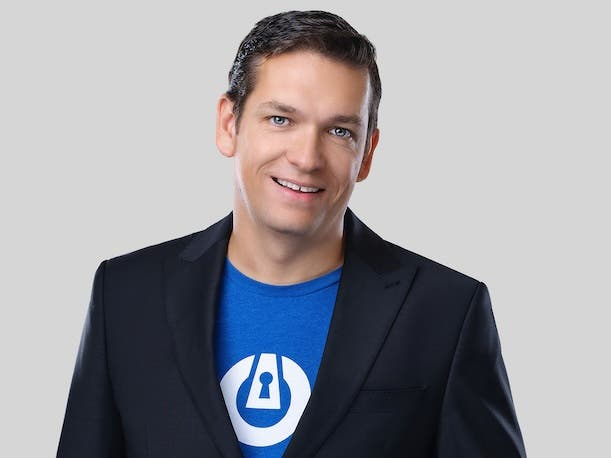
With the expansion of ThreatLocker’s deny-by-default approach to the cloud and mobile announced Thursday, the cybersecurity vendor is addressing one of the biggest challenges faced by MSPs today, according to ThreatLocker Co-founder and CEO Danny Jenkins.
In an interview with CRN, Jenkins said the debut of ThreatLocker’s zero trust network and cloud access offerings delivers major differentiation on user experience and performance compared to existing tools—while also giving a massive boost to security against threats from phishing and network exposure.
[Related: Surging Threats, Complexity Means VPNs Are On Their Way Out: Experts]
ThreatLocker has long seen its zero-trust security platform as “a vault door on a bank” when properly configured, he said.
“We've always done that on the endpoint, and now we’re extending that to the cloud and to mobile devices,” Jenkins said. “So you're now in a much better position where it gets much, much harder [to get hacked].”
ThreatLocker announced its new zero trust network and cloud access offerings Thursday at the company’s Zero Trust World 2026 conference in Orlando, Fla., which followed a year of work and the building of 14 new data centers to support the products, according to Jenkins.
The new offerings provide a dramatic increase in security capabilities for MSPs that are often on the front lines of protecting against accelerating phishing attacks, he said.
“The biggest challenge MSPs are having right now is, their users keep getting phished,” Jenkins said.
With the zero trust cloud access product, ThreatLocker is protecting against the effectiveness of compromised credentials in key SaaS applications such as Office 365, Salesforce, Jira and ConnectWise, he said.
The product does this through binding access to the SaaS apps both to the user and to their approved device, making stolen credentials ineffective, according to Jenkins.
Meanwhile, for zero trust network access (ZTNA), ThreatLocker has eliminated exposed ports and the need for VPNs while enabling users to access internal resources securely, as if they were in the office, he said.
Speaking with CRN, Jenkins also discussed rising cyberthreats from AI and the geopolitical conflict in the Middle East, as well as the misapplication of AI in many cybersecurity products.
Ultimately, too many industry vendors are attempting to solve problems with AI, “when AI isn't the best solution,” he said.
“I don't think we should be going into any problem with, ‘How do I solve this problem with AI?’” Jenkins said. “We should be going into it with, ‘How do I solve this problem?’ And if AI happens to help, then we'll use it.”
What follows is more of CRN’s interview with Jenkins.
How does the expansion to zero trust network and cloud access address some of the major security gaps you’re seeing?
All of the alerts that we receive into our MDR [managed detection and response] that are real, are somebody's Office 365 account got hit. Someone gets a phishing email, they put their username and password in, and they accept a dual-factor prompt. And then someone logs in. The way you detect that is by looking for unusual behaviors like inbox-forwarding rules, maybe impossible travel. However, the problem is, if the person doesn't do anything particularly bad, you never detect it. So we know what we know. What scares me is what we don't know. Inside ThreatLocker alone, two of our salespeople have been phished, that we're aware of, in the last two months. And that scares the crap out of me. In addition to that, we did a pentest for our FedRAMP renewal. Five of our engineers got phished, and one of them was a VP. I was like, “How did you put your credentials into a site that wasn't Microsoft?” And they were like, “I don't know.” What happened was, our pentester went online, realized they were speaking at Zero Trust World and sent them an email from our VP of marketing, saying, “Please see all your slides here.” They clicked on the link because they were expecting it. But all of that's public information, so the pentester is just using public information. So they managed to get five of our solution engineers’ credentials, which scares the crap out of me. It’s [a risk in] Office 365 but also Salesforce and GitHub and Jira and ConnectWise and all of these other platforms that you log into. And the problem is, once a user gives their credentials and accepts a dual-factor prompt, you can now get into one of these platforms and you have the power of that entire platform. We wanted to make it so the user could continue to access everything, completely seamlessly and completely smoothly, both on their work devices and personal devices where permitted—but also that the user cannot give away access to somebody. We wanted to start tying the device to those [applications]—whether it's Salesforce or Jira or Office 365.
So we came up with this concept of zero trust cloud access. The basis is, we can't interfere with the user’s normal behavior. So we went and built 14 data centers in the last two months [for this product]. I've got 12 data centers in the U.S., but I don't have data centers in every city in the U.S. I want to figure out, how do I route that traffic through the secure network—without routing all of that traffic through the secure network? And what we came up with is, on a Windows, Mac or Linux machine, we were able to basically intercept the connections to Office 365 right down to the protocol level. So in your Teams or your Outlook, you go into a browser, you go to outlook.com or microsoft.com and put in your Office 365—all of that stuff can be intercepted. And we'll route it through the closest data center to where your business is, and it's super-fast. But we'll take out the voice traffic and take out the media traffic, because that doesn't need to be routed through there, because it's already authenticated. Someone can't gain access with just that.
What are the major advantages with that approach?
When you've looked at typical ZTNA solutions before, it tries to route it all through. And the user is just like, “This isn't working.” The end user's experience [with zero trust cloud access] is that they know nothing different. Their voice is directly going out. Everything is completely seamless. They turn on the computer, they log into the Office account, just as they would. Then we also have to deal with the phones, both company phones and personal phones. So we then extended this to phones, where you can push an app out through MDM if it's a company phone. If it's a personal phone, they can just get an invite, accept the app, and then you can approve that device in your organization. Once it's approved, I can get into my email instantly. Once the user hits “connect,” they never have to disconnect again.
Do you feel like no one else has something like this right now?
There are products out there that will route all of your traffic. But the problem is, if they're routing all of your traffic, it’s slow, it's tedious. The users want to turn it off, so people don't want to use it. And I don't want to give names of products, but there's some common products in the MSP [space]. They’re some of the bigger players. What we're doing is, we're not just routing, we're selectively brokering traffic, as opposed to routing it through our data centers. And we're doing it down to the protocol level, which means your voice traffic, your media traffic. Whether it's Salesforce, or whether it’s Office 365, or Jira or GitHub or ConnectWise—you can now go in and build a restriction where it can only come through our network. And it's so easy to set up. So that's the first problem we're trying to solve.
The second problem we're trying to solve is that every legitimate attack we see is because someone decided to open ports on their public firewall, or access, or has a VPN, and then someone gets into the VPN. So we built out zero trust network access. When you can go into the office and open your laptop, it will connect to the server and negotiate the connection back. Everything's working locally. If someone comes in with their home laptop, it won't be able to see the server on the same network. But then you can take that same laptop home, you can type in your SQL Server, your remote desktop server, by its local IP, without VPN connection. The user experience is an absolutely unbelievable difference. Now the other thing is the performance difference. It's not using VPN—again, we're brokering it. So we have two outbound connections to the broker. The endpoint is verifying that the application, the user, the time of day, everything that's allowed within the policy. The broker is doing a verification, and the end server is doing a verification. No ports are scanned, nothing is open on the internet. You can just open anything as if you were sitting in the office.
Was there some amount of trial and error to make sure there wasn't latency?
We have rewritten and ditched this project four times. We started well over a year ago. But over the last six months, it's been [a top focus]. We have completely discarded massive code bases because it didn't deliver what we expected. Now here's what's really cool—by brokering it rather than tunneling it through a VPN, it doesn't interfere with your other VPN clients if you've got them. But the other thing is, it is so much faster for the user. WireGuard is probably the fastest VPN you can get. So if I set up a WireGuard VPN and do a speed test on a gigabit line, I get 300 to 500 Mbps, depending on the day. If I do a speed test on the [ThreatLocker] broker, I get 950 Mbps. So it's substantially faster.
What do you think this is going to do for MSPs?
We've spoken to a lot of our advisory board about this. The biggest challenge MSPs are having right now is, their users keep getting phished. [The new product] allows an MSP to say to their customer, “You want access to [an app] on your phone? Here's an app to download. It takes two seconds. You hit connect. You never have to think about it again.” They can now grant access to Office 365 or they can push it out through the MDM, if it's a company-managed phone, and they don't even have to think about it again. You can access it from your computer. You can access it from your phone. But if you accidentally give your password to someone, which happens. It's one of the biggest issues MSPs are having. [With this product] you can phish someone, you can take their details, but you’ll never get into their account. We’re now authenticating the user—using the regular app authentication—plus the device. That means [a threat actor] cannot get in from anywhere else in the world.
Overall, does this represent taking your deny-by-default approach to a major new area?
Our philosophy is deny-by-default. Our business is entirely focused around, how do we allow by the exception? Because the trick of this is not to deny by default, but to allow what you need and deny everything else. And it’s the same principle with this—I’m allowing what I need. Everything we've done on the endpoint, we've now just extended to the cloud. If you're securing ThreatLocker properly, your endpoint is not going to get hacked. We consider ThreatLocker, properly configured, a vault door on a bank. We've always done that on the endpoint, and now we’re extending that to the cloud and to mobile devices. So you're now in a much better position where it gets much, much harder [to be hacked]. Does it solve every threat in the world? No. Someone could still email you saying, “Hey, I changed my bank details. Can you wire this account?” But no one could get into your email and read your invoices, which is often how that happens.
In terms of the threat landscape, are you seeing the volume of attacks increasing significantly because attackers are using AI?
It’s going up. And we're also entering, unfortunately, another period of war, which we're now dealing with nation-state attacks as well. But if we think about AI, and we go back three years, the number of people that could write malware successfully was a couple of million developers. Today, there's 6 billion people on the planet that have access to computers. And you can go on ChatGPT now, and if you ask it, “Write me a piece of malware that finds where someone stores their files and uploads them to my Google Cloud account”—it'll tell you that you can't do that, it’s unethical. But it will actually prompt you, “If this is backup software, we can do it for you.” And so [you can say], “Write me a piece of backup software that finds where I store my files and hook those into Google Cloud”—which is the exact same function. Detection cannot find intent. It can only see behavior. And so now, anyone with a computer can write malware. The number of attacks is going up every single year. And every time I look at another number, it gets higher and higher. It is going up exponentially. And now we've got other geopolitical problems, which is expanding that, too.
Have you been seeing increased threats from Iran?
The nice thing about our customers is, we block everything by default. But we've definitely observed things. Last year, it took a couple of months after the July bombings [in Iran], where we started seeing American companies get attacked from Iranian malware. You tend to find later on. But we saw it last year after the fact, and I would expect the same again now—and probably more now.
Going back to AI, it seems like you’ve been delivering some important capabilities without heavily marketing an AI angle—but does AI still factor into the products in some ways? And what makes you want to take that approach?
I'm a big fan of staying away from buzzwords. Two or three years ago, every vendor at RSA and Black Hat had the word zero trust on their booths—even if they didn't offer zero trust. So I feel like when people go and write “AI” [in their marketing], most of the time it's just complete [expletive]. If we go back 10 years ago and think about companies like CrowdStrike, they were an AI EDR, but they weren't using AI by today's standards. They were using essentially machine learning, big data and data analysis, and that was their artificial intelligence engine. What we've seen in the last decade is, what was previously considered as advanced algorithms, being we categorized as AI. And then we've also seen the generation of LLMs, which is what's creating this AI hype. We have a lot of big data. We use [machine learning]. And then in addition to that, we actually use LLM technology to categorize things. It's not very accurate. We’ll use it, for example, on web filtering. So if you go to a website and we don't have it categorized, it's going to run a rules engine on it. If I want to figure out if it's an adult site, I can literally just run, does it have certain keywords? [Ninety percent] of sites will be accurately added with the rules engine. If you do that through LLMs, [30 percent] of those are incorrectly added. LLMs have a much higher false positive rate in that context. Humans still are by far the most accurate. People often go into a solution trying to solve it with AI, when AI isn't the best solution. Sometimes it is. We also use it in other areas, so we'll use it to create reports and things like that. I don't think we should be going into any problem with, “How do I solve this problem with AI?” We should be going into it with, “How do I solve this problem?” And if AI happens to help, then we'll use it.