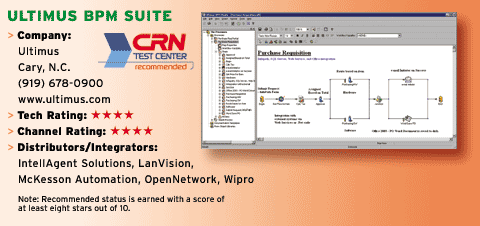
Ultimus Enhances BPM Studio In Version 7
Aside from these similarities, however, the new BPM Studio process design tool has many improved features. It has a better collaborative environment to manage teams working on business processes. BPM Studio uses a tree view of remote process repositories that can be accessed from anywhere, allowing users in multiple locations to work simultaneously on the same project. To prevent file locking, the software includes a tool that lets users check processes in or out before working on them. BPM Studio also provides a history of the work done on every process, so users can review or roll back unwanted steps. Because the software provides object-level control of a task, users can work without having to connect to a repository. The suite saves tasks offline to users' local drives and then synchronizes changes when users log back into the repository. BPM Studio version 7 extends the software's distributed environment by providing massive server scalability, allowing processes to run simultaneously on multiple servers.
A target BPM server is required to publish a business process. In the new design environment, analysts and administrators have the ability to push processes to any runtime BPM server as long as they are granted proper security rights.
On the front end, developers have two fundamental ways to expose processes and interact with Ultimus' BPM server—through an API-to-API connection using custom clients or via an Ultimus client interface. Using a custom client from a packaged application or a third-party application, developers can integrate changes with Ultimus BPM by writing to the Ultimus API, which in turn pushes the changes to the Enterprise Integration kit. The kit supports a .Net and a Web services-based interface.
Users can launch any processes using Web services calls. What's more, Ultimus can expose all processes and Web services through a single connection via its administrative module. This module provides a list of published Web services processes on each BPM server and the status of those processes. To run processes, analysts simply have to enable them. When processes are exposed as Web services, Ultimus automatically adds a default set of methods to maintain communication between the BPM server and a client. These methods manage functions like incident retrieval and process completion. Although they typically run on .Net, these Web services files can also run via any third-party interface.
The BPM server also can act as a Web services consumer when interfacing with any application that exposes its API via Web services. For more robust interfaces, developers can write C# or VB.Net clients that interact with the Ultimus BPM. ASP.Net applications also can communicate with Ultimus BPM through .Net. Unlike other BPM servers that concentrate on task integration, Ultimus BPM focuses on providing a rich user-interaction experience. When building processes, Ultimus BPM provides users with specific steps within native forms to complete a business task. In addition to native forms, Ultimus includes Adobe PDF form and Microsoft InfoPath form interfaces.
The other step task used by Ultimus is called a Flobot, which stands for workflow robot. Ultimus provides out-of-the-box Flobot functionality for Microsoft Exchange, Word, Excel, Web services and BizTalk 2004, among others. These Flobots automatically route data to external systems and can also extract data from other systems.
Ultimus' channel marketing program provides sales tools, competitive analysis documents, white papers and video demos through the company's Web site. Technical support is offered via e-mail, phone and Web to Standard and Gold partners. Gold partners can access this support 24x7. Depending on the partner relationship, margins range from 20 percent to 40 percent. Ultimus BPM Suite is priced at $25,000.