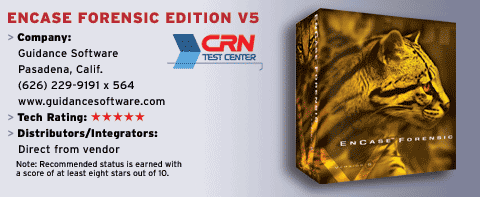
Encasing Your Valuable Files For Investigative Purposes
AppTech is a solution provider based in Tacoma, Wash., Specializing in network security and design services since 1988. Encase Forensic was tested and reviewed by AppTech CEO Darrel Bowman and Jody Randall, senior instructor at Clover Park Technical College, who teaches the college's National Security Agency-certified Computer Information Systems Security program.
Guidance Software is the world's largest computer forensics and incident response trainer. Investigators for law enforcement, government, small businesses, consulting firms and corporations use Guidance's software for their computer investigative solutions. For solution providers looking to create a service around auditing and investigating tasks, a forensics investigating tool is a must. A software investigative tool can be used to capture and analyze data and become the foundation of a forensics solution. That is where Encase comes into the picture.
Guidance, Pasadena, Calif., provides three major software computer investigative packages, each with its own special capabilities. These include the Enterprise Edition, which is a multiplatform enterprise investigation solution; Field Intelligence Model, developed specifically for the requirements of law enforcement professionals; and Encase Forensic, which has become the industry-standard tool for uncovering, analyzing and presenting forensic data. Various tools and updates are available from Guidance's support Web page, including clean forensic BootCDs and scripts.
We tested the Encase Forensic software using a Pentium 4 3GHz with 512 Mbytes of RAM, a DVD-ROM, 52X CD-ROM burner, two 40-Gbyte hard drives, onboard sound and video, and an Intel 1-Gbyte network interface. The subject machine was an Athlon 1GHz with 512 Mbytes of RAM, with various drive configurations, and two 10/100-Mbyte network interface cards.
Upon installing Encase Forensic to an existing installation of Windows XP Pro with SP 2, we received two "blue screens of death" (INVALID_SOFTWARE_INTERRUPT) while trying to acquire a drive image. We then reloaded the base test machine with a clean install of Windows XP with SP 2, Microsoft's current updates, Microsoft Office 2003 and antivirus software. All drives and media were verified using cyclic redundancy check MD5 prior to imaging with Encase.
The Encase Forensic software package is a good product. After the issues with the previous OS install, the remainder of the testing seemed to go fairly well. Prior training is recommended. Users should read the 376-page manual to fully understand, use and enable this feature-rich program. This software package is designed particularly for a person experienced in computer forensics examination.
In a world of data recovery tools, Encase Forensic stands out. The ability for an investigator to acquire a bit-for-bit replica of almost any writeable media is its strength. Being enabled to acquire that image through a network interface makes it even more versatile. And the ability to view and recover any information written to multiple types of media makes this a formidable package.
Acquiring a bit-for-bit copy of a large computer hard drive or RAID drive set is very time-consuming. Using the "scan disk configuration" utility provides the ability to copy single drives of a stripped drive set and reassemble them as one drive from within Encase.
Filtering and scripts are incorporated into Encase Forensic to make searching or acquiring evidence fairly simple. Searching through multiple types of media for evidence is laborious. Filtering by multiple expressions enabled a complete breakdown of desired files or folders, instead of wading through thousands upon thousands of files and folders one by one. During testing, the program ran into a group of memory allocation errors that popped up while using the e-mail/Internet search feature. However, the search completed and provided the proper results.
The ability to bookmark evidence and add it to a report is a useful feature when searching for questionable content on a suspect's drive. After selecting and bookmarking all evidence from the media, the investigator identifies the content desired to add to the report and can view or print a simple report.
The menu bar interface was clustered together and sometimes confusing, as it was very easy to lose track of what option was truly needed. We recommend having the manual next to the forensics machine vs. muddling through the menu options.
Again, reading the manual coupled with training is a must. Without them, a standard PC user would be lost. Law enforcement, government and investigation/consulting firms that employ computer security professionals and investigators should find this utility a "must-have" in their forensic toolbelts.
Overall, Encase Forensic 5 Corporate—minor glitches aside—is by far a utility any computer investigator should be able to rely upon. The overall mission is to provide investigators with utilities that are capable of presenting integrity of evidence so it is admissible in a court of law. Encase Forensic 5 just may be that utility.